
Home / Products / HoloMedicine® Dentistry
Show your patient. In true 3D.
Your CBCT or CT and your intraoral scans become 3D holograms that patients and students understand at a glance. Walk around the jaw, take a single tooth out to see its roots and the bone around them, with the mandibular canal below the lower teeth, and show patients why you recommend a treatment.
People understand what they can see. A jaw in 3D explains a treatment in one minute, and a real case teaches more than any textbook drawing.
Patients see their own jaw in 3D and understand why you recommend the treatment.
Teach with real cases in 3D. Students explore teeth, roots and mandibular canals at their own pace.
Show your patient how an impacted lower wisdom tooth lies near the mandibular canal. Your clinical assessment stays on the CBCT slices.
Show your patient the bone, neighbouring roots and, in the lower jaw, the mandibular canal when you discuss an implant. Planning stays in your planning software.
Review a case live in 3D with your dental lab, a surgeon or a colleague, wherever they are. How it works
Stream the dental microscope out of the treatment room to anyone you invite.
Most practices already have both. Each one shows only part of the picture. HoloMedicine® brings them into the same 3D space. It works alongside your planning software and does not replace it.
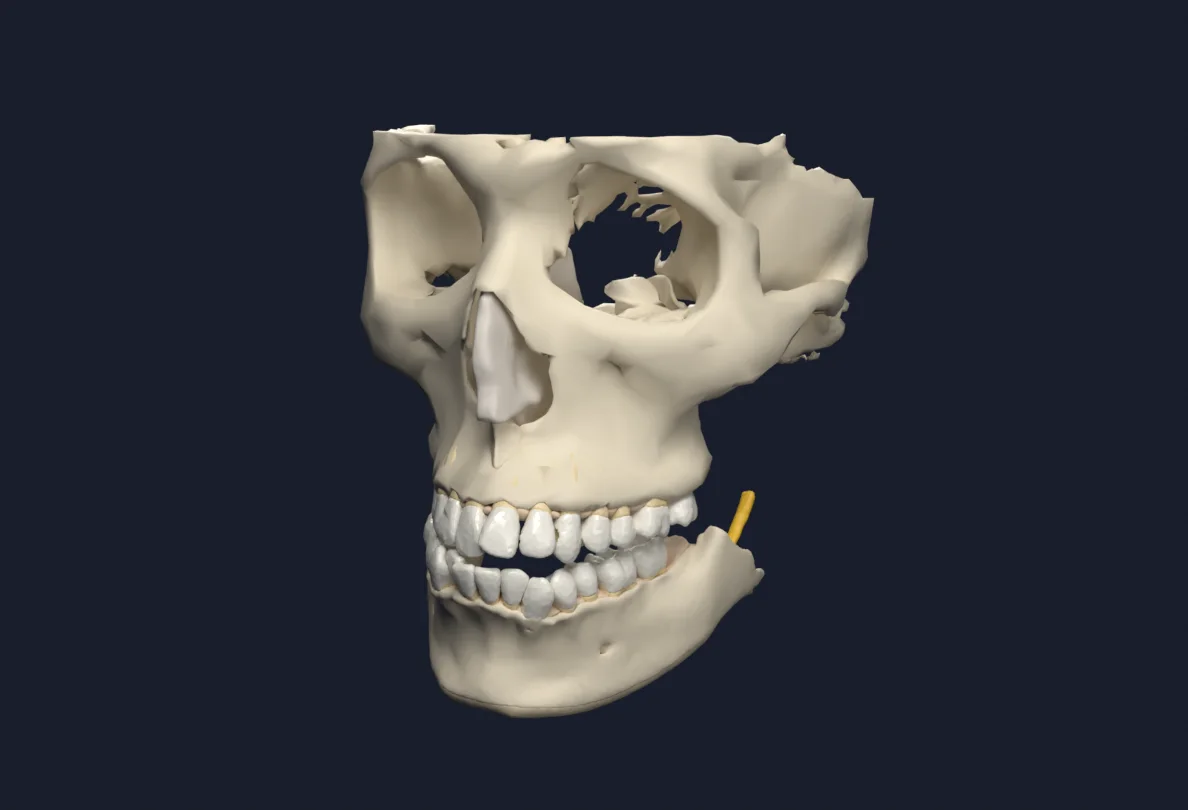
A cone beam CT is read slice by slice on a flat screen. In HoloMedicine® it becomes one model you can walk around.
Your intraoral scanner captures the visible surfaces of teeth and gums in fine detail and in true colour. HoloMedicine® separates them into single teeth you can pick up and take out.
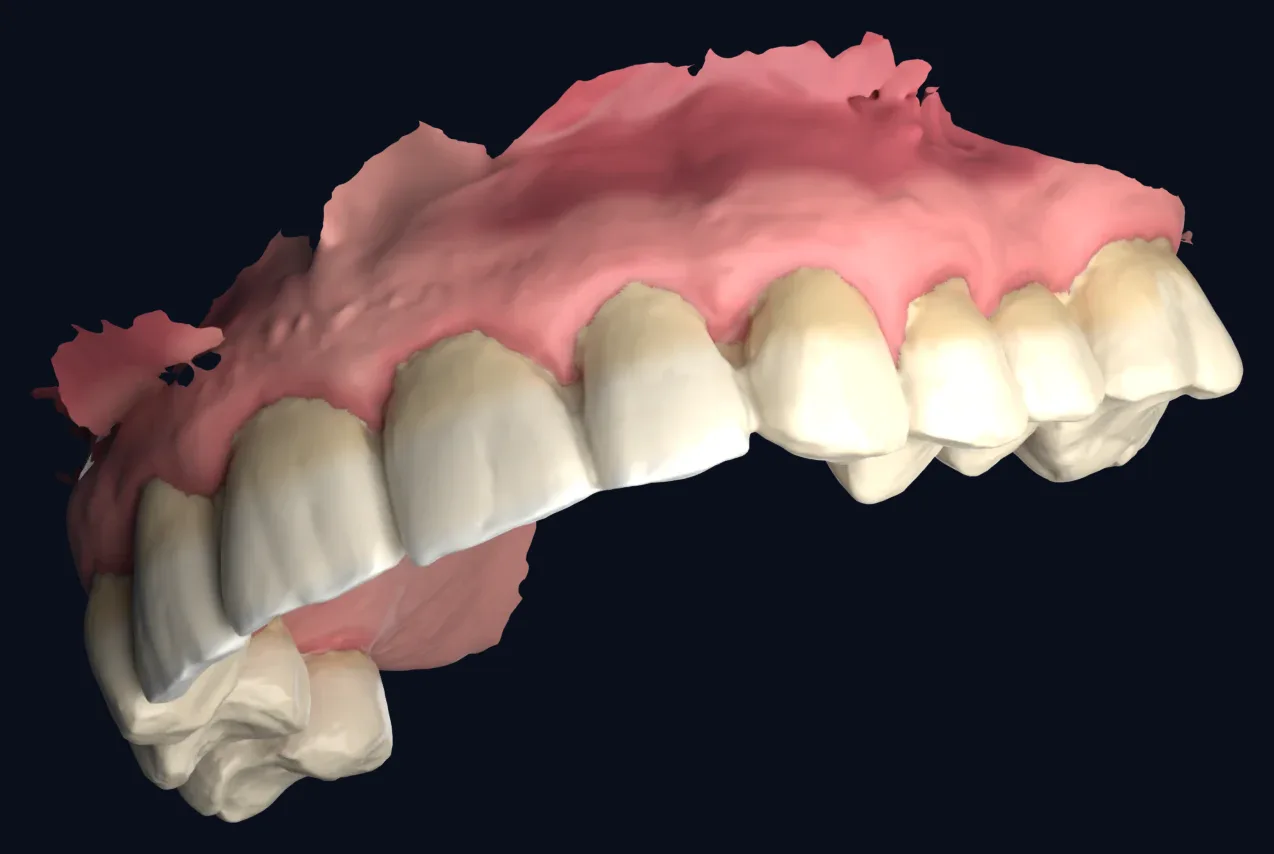
Together: crowns and gums from the scan, roots and bone from the CBCT. The full picture in one view.
A real dental CBCT, segmented by HoloMedicine®. The upper and lower jaw move apart, each tooth lifts out of the arch on its own, and everything goes back together.
Upper and lower jaw move apart, so both dental arches can be seen at the same time.
Each tooth comes out of the arch on its own, crown and roots, and goes back into place.
The model closes again. In the hologram you can take out the tooth you want to explain, by hand.
Life size or enlarged, in the consultation room, so your patient can see their own teeth in 3D.
Real dental CBCT: teeth segmented and separated by HoloMedicine®, with maxilla, the body of the mandible and both mandibular canals. Drag to rotate.
A phone call or a screenshot rarely shows what you mean. Open the case together, look at the same 3D jaw at the same time and agree on the details before the lab starts.
You and your dental technician see the same 3D model, wherever the lab is.
Turn the jaw, take a tooth out and show the neighbouring teeth, the bite and the space you are talking about.
Add the surgeon or a colleague to the same session when the case needs a second opinion.
CBCT and intraoral scan, uploaded in about 5 minutes
Everyone sees the same model at the same time
Joins from wherever it is, with a headset
Endodontics, implantology and periodontal surgery happen under the microscope, and only the dentist sees them. Share the view live with students, experts and patients.
Video output of any common microscope
Small box in the room · encrypted live stream
XREAL Aura · laptop · phone · anywhere in the world
CBCT or CT scans as DICOM, and 3D surface scans from intraoral or lab scanners as STL or GLB, uploaded by hand in about 5 minutes. The CBCT shows roots, bone and the mandibular canal; the intraoral scan shows crowns and gums in fine detail.
HoloMedicine® Patient Viewer, which shows the patient's own DICOM imaging such as a CBCT, is CE-marked as a Class IIa medical device. For other countries, see the regulatory page. Automatically generated 3D models and coloured scans are for visualization, teaching and patient education, not for clinical decisions.
XREAL Aura and Meta Quest 3 and 3S.
Yes. Patients see their own jaw in 3D, from every side, which makes a treatment plan easy to explain and easy to understand.
Yes. The HoloMedicine® Streamer takes the video output of the microscope and streams it live and encrypted to everyone you invite, on a headset, a laptop or a phone. The Streamer is for teaching and communication and is not a medical device.
3D models shown on this page come from real, anonymized example cases and were generated automatically. They illustrate the workflow and are not clinically validated. See regulatory for the certification status of each product.
Send us a CBCT, a CT or an intraoral scan, and we show it to you as a hologram in a live demo.